macOS 14 Sonoma+
Window previews,
right in your Dock.
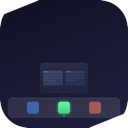
Hover any icon. See every open window as a live thumbnail. Focus, minimize or close without switching apps.
Free & open source · MIT · Built with Swift + AppKit
Features
Everything you need. Nothing you don't.
Live window thumbnails
Real-time captures via ScreenCaptureKit. Every thumbnail shows the window's actual current state, not a stale screenshot.
Spotify panel
Album art, track info, progress bar and full playback controls, all surfaced at the Dock without switching to the app.
Not running? One tap.
For dormant Dock icons, DockDock shows a placeholder with a direct Open button. Launch any app without leaving the Dock.
Zero footprint, native only
Lives in the menu bar, no Dock icon. Built entirely with public Apple APIs: Accessibility, ScreenCaptureKit and AppKit. No private entitlements.
Install
Download and run.
Grab the DMG and drag the app to Applications. Up and running in under a minute.
Download DMG1
Open DockDock-*.dmg and drag the app to Applications.
2
First launch: right-click the app → Open → Open Anyway. macOS Gatekeeper blocks unsigned apps once. This clears it permanently.
3
Grant Accessibility when macOS prompts. Required to detect Dock icons and manage windows.
4
Grant Screen Recording for live window thumbnails. Optional, the panel still works without it.
Prefer to build from source? git clone + bash bin/make-app.sh. No Xcode project needed, just Command Line Tools.
All releases on GitHub →
# if macOS still blocks after right-click → Open
$
xattr -cr /Applications/DockDock.app
$
open /Applications/DockDock.app
# or build from source
$
git clone https://github.com/
AlbertoBarrago/DockDock.git
AlbertoBarrago/DockDock.git
$
cd DockDock && bash bin/make-app.sh
# → /Applications/DockDock.app ✓
System
macOS 14 Sonoma
or later (macOS 15 Sequoia supported)
Accessibility
Required
Dock icon detection & window management
Screen Recording
Optional
Enables live window thumbnails via ScreenCaptureKit