Timelog app icon

iOS & macOS

Track time.
Natively.

A lightweight time-tracking app built with SwiftUI and SwiftData. Sync across devices via a self-hosted middleware on Vercel — zero cloud lock-in, zero subscription.

iOS 17+ macOS 14+ Swift 5.10 SwiftData SwiftUI Open Source
View on GitHub Explore features
scroll
📱

iPhone & iPad

Timelog for iOS

Full-featured mobile app with real-time session tracking, Live Activity on your lock screen and Dynamic Island, and automatic sync at every launch.

  • Today view — log time manually or start live sessions; running daily total
  • Clients & Projects — color-coded, archivable, swipe to edit
  • Timer — Stopwatch or Pomodoro with ring progress and notifications
  • Live Activity on lock screen & Dynamic Island
  • Smart Tracking — session alert if you forget to stop
  • Automatic pull at launch + push with 2-second debounce
🖥

macOS 14+

Timelog for Mac

Native macOS app that lives in your menu bar. Always visible, never in the way — with a full window for deep work sessions and client management.

  • Menu bar icon — live elapsed time while timer is running
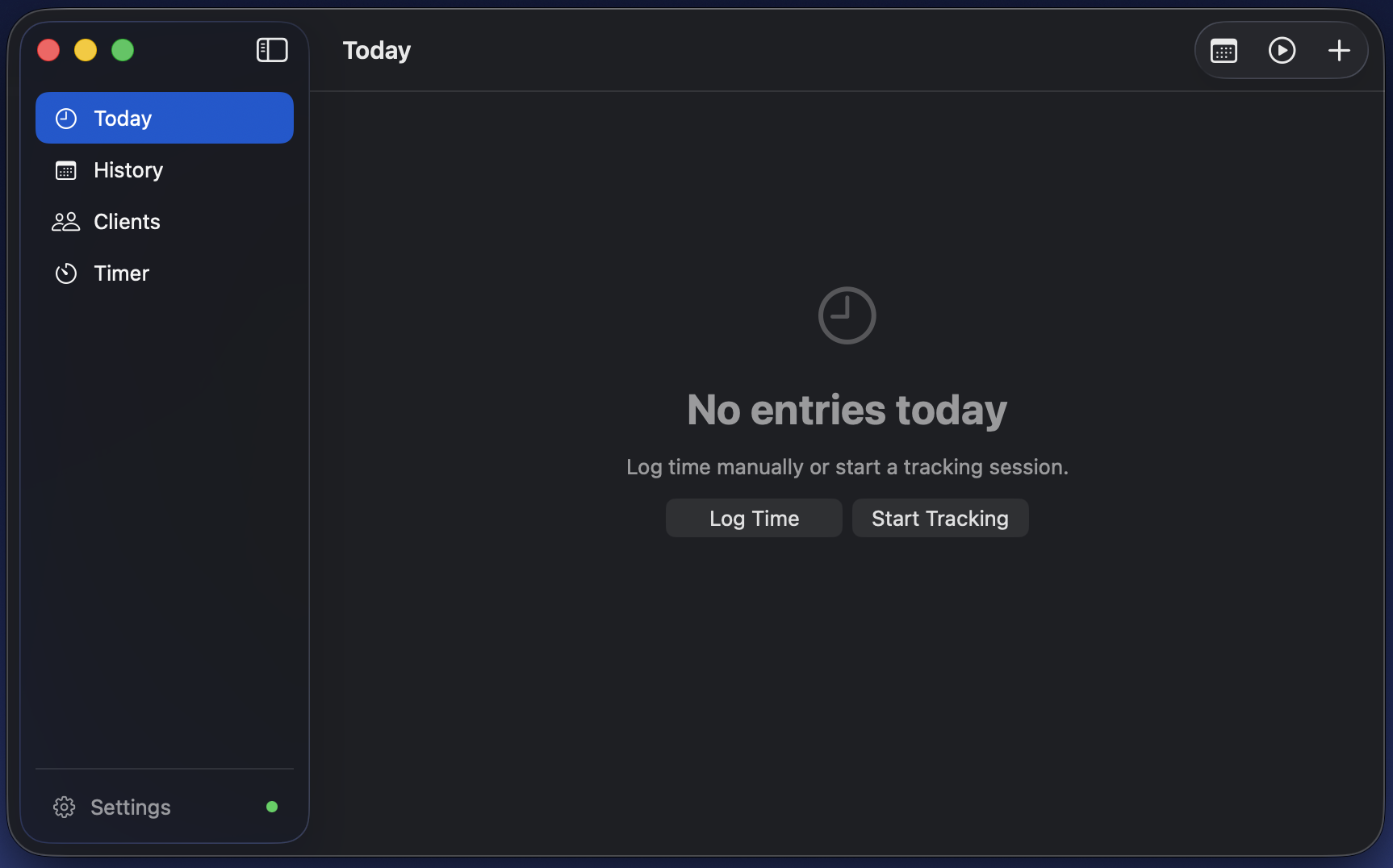
  • Today view — active sessions with live ticker and context menus
  • Clients & Projects — NavigationSplitView with native Table
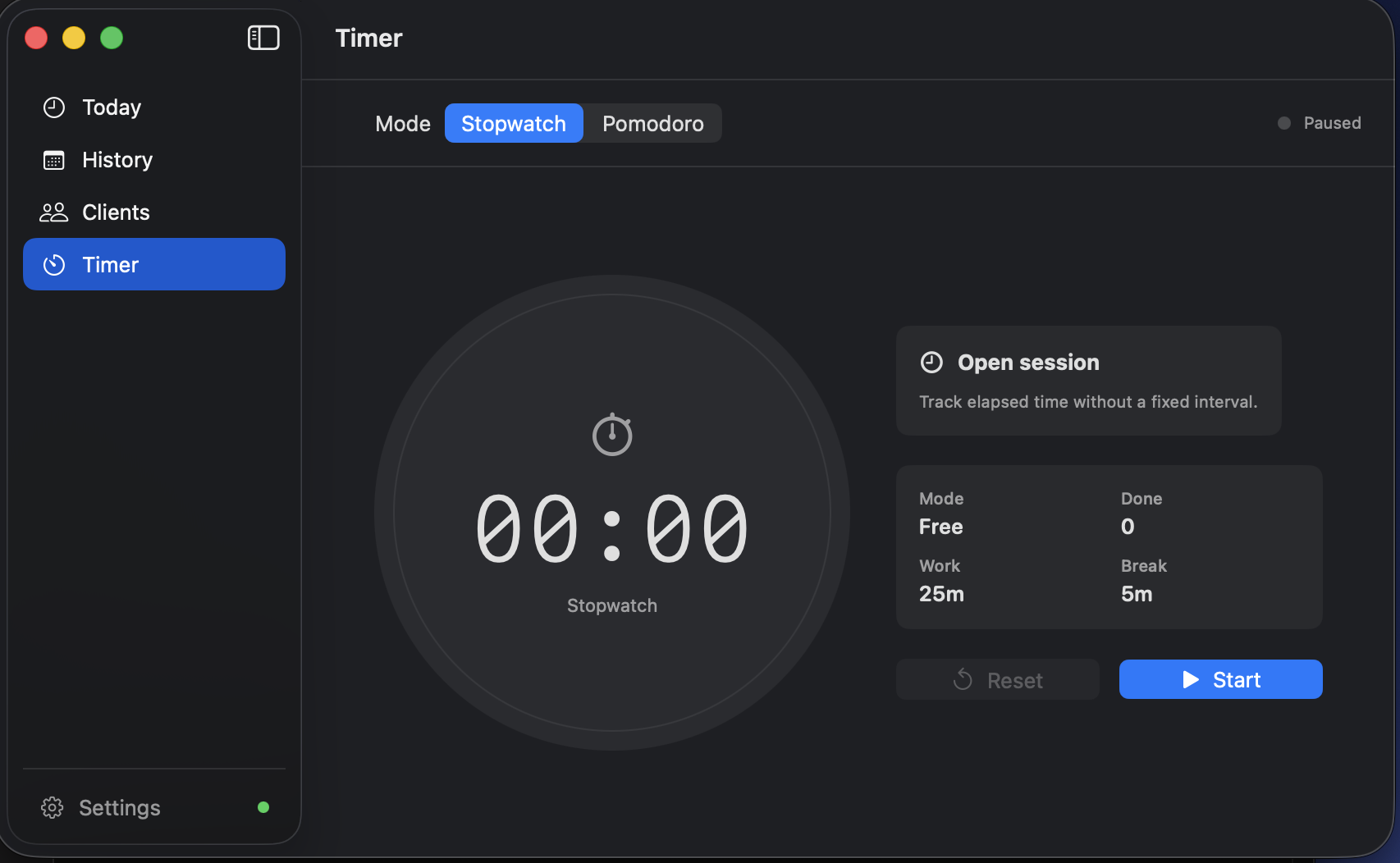
  • Pomodoro / stopwatch window — Space to start/pause
  • MongoDB Atlas sync via MongoKitten — credentials in Keychain
  • Settings window accessible via ⌘,

In Action

Native by design.

Every pixel follows the macOS HIG. No Electron, no web views — just SwiftUI rendering on Metal.

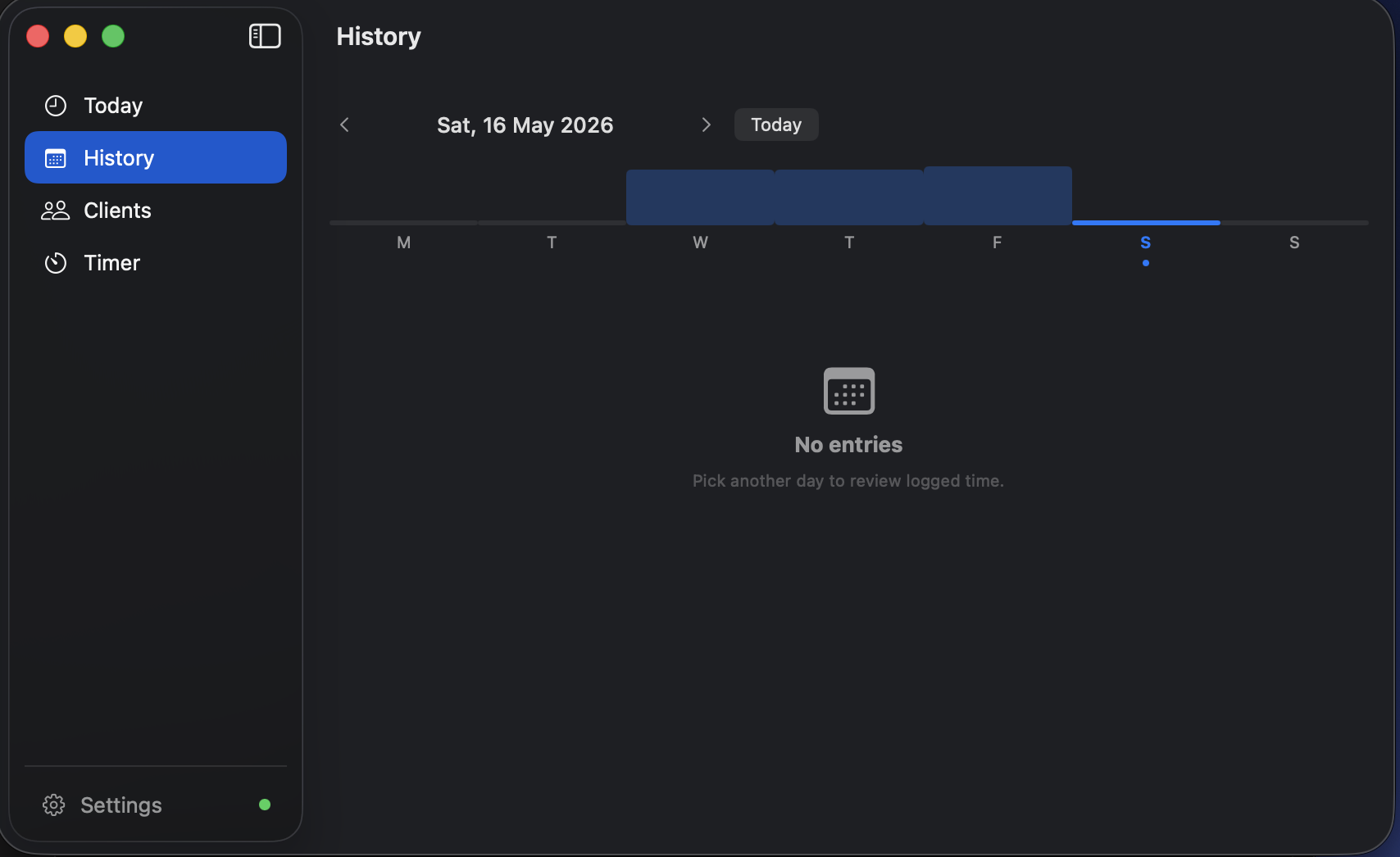
Timelog macOS — History view with weekly bar chart and date navigation
Today view — active sessions and daily entries Timer — Stopwatch and Pomodoro mode

Highlights

Every detail, considered.

Built for developers and freelancers who want a native app — not another Electron wrapper or subscription SaaS.

⚡️

Instant tracking

Tap once to start a session. Duration is logged automatically when you stop. Multiple sessions can run simultaneously.

🍅

Pomodoro built-in

Configurable focus and break intervals with a ring progress view and lock-screen notification when a phase ends.

🔄

Bidirectional sync

Data entered on Mac arrives on iPhone automatically. Push and pull via a tiny Vercel middleware you host yourself.

🏝

Dynamic Island

Active sessions and the running timer appear live in your Dynamic Island and on the lock screen via ActivityKit.

🔐

Privacy first

All credentials live exclusively in the system Keychain. No analytics, no third-party SDKs, no data leaves your infrastructure.

🎨

Color-coded clients

Assign colors to each client. Projects inherit the client palette and collapse cleanly when archived.

📊

Daily totals

The Today view sums all sessions in real time. See exactly how much time went to each client without doing the math.

🛎

Smart reminders

Configure a daily reminder to start tracking, and a threshold alert if a session is still open past your end-of-day time.

📦

Zero dependencies (iOS)

The iOS app uses only first-party Apple frameworks — no CocoaPods, no SPM cloud packages, no Electron.

Architecture

Sync you control.

A tiny Vercel serverless function sits between your iPhone and MongoDB Atlas. You own the infra, you own the data.

📱
iPhone / iPad
RestSyncService · URLSession
GET /api/pull
POST /api/sync
Vercel Functions
Node.js · TypeScript · X-API-Key auth
🍃
MongoDB Atlas
Free M0 · upsert · multi-device
🖥
Mac
MongoSyncService · direct connection
Wire protocol
🍃
MongoDB Atlas
Same cluster · same collections
iOS

RestSyncService

Pure URLSession, zero external dependencies. Pulls at every launch, pushes changes with a 2-second debounce. Credentials auto-loaded from a gitignored bundle file.

macOS

MongoSyncService

Direct connection to MongoDB Atlas. Connection string stored in Keychain, never in code or UserDefaults. Auto-push on every SwiftData save, with 2-second debounce.

Server

Vercel Middleware

Two serverless functions — GET /api/pull and POST /api/sync. Auth via X-API-Key header. Full Swagger UI at your deployment URL. Runs on the free tier.

Stack

First-party, all the way.

No Electron, no React Native, no subscriptions. Just Swift and Apple frameworks the way they were designed to be used.

Swift 5.10 SwiftUI SwiftData @Observable ActivityKit WidgetKit MenuBarExtra UserNotifications Keychain MongoKitten (macOS) Vercel TypeScript Xcode 16+
🧑‍💻

Free & Open Source

Timelog is fully open source. Fork it, extend it, self-host the sync server — or just read the code. No vendor lock-in, ever.