
An independent mail app for macOS

A home for your mail.
On your own Mac.

Mail, calendar and all your accounts together in a native Mac app. Built with care, for the way you spend your day.

Development on hold. Free test build. Apple silicon. macOS 26 or later.

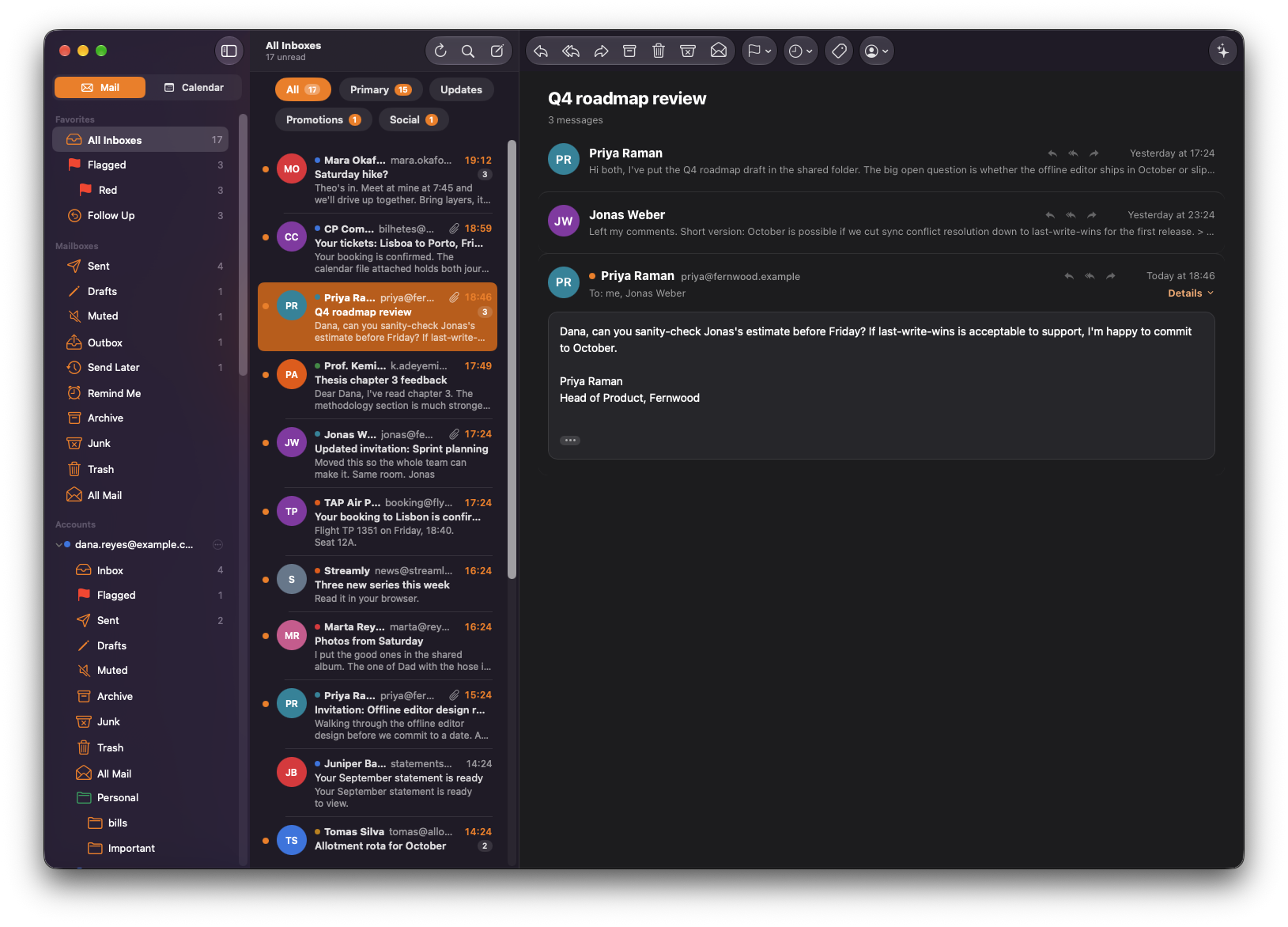
Iris in dark mode: six accounts in the sidebar, a unified inbox, and a conversation about a Q4 roadmap review open beside it
Your accounts together, with room for the conversation. Shown with sample mail.

Your day, with fewer windows.

Read, reply, make plans. Iris brings the things you need together and connects to your mail provider straight from your Mac.

Every account, one inbox

Gmail, Microsoft 365, Outlook.com and IMAP accounts such as iCloud and Fastmail. Read them together or give each account its own space.

Follow the conversation from your inbox

Click a conversation's message count to see who replied, when, and the first words of each reply. Expand it without marking it read, then choose the message you want to open.

Write to the whole team

Keep a local contact list for your team, family or project. Type its name in To, Cc or Bcc to add the members as individual recipients, then adjust who gets this message.

Mail and calendar, side by side

Plan your day, move events and answer invitations from the message. Write with formatting, Undo Send, Send Later and templates. Pasted text takes the composer's font and text color.

At home on the Mac

Native windows, familiar shortcuts, notifications and a Dock badge. English and Italian, with controls named for VoiceOver.

Your mail stays yours

No Iris server between you and your provider. No analytics or advertising. Remote images wait for your permission, and sign-in tokens stay in the macOS Keychain.

OpenPGP and S/MIME work through your own GnuPG. An optional assistant stays off until you choose a model; use a local model to keep its work on your computer.

Made for my own day.
Shared for yours.

I built Iris because I needed a mail app that felt right for me. I’m an indie developer, and I put my heart into it. If it can be useful to someone else too, I see no reason to keep it to myself.

Iris is free and open source. It’s a personal project, and for now its development is on hold: there has been no reply from Google, and there is not enough time to keep working on it. The latest test build stays available below. Try it, see how it fits your day, and tell me what works or what needs attention.

Alberto Barrago

Give Iris a place on your Mac.

A free test build for Apple silicon Macs with macOS 26 or later. Development is on hold, so no new builds for now.

Download Iris 1.2.12

Version 1.2.0 adds local contact lists and reply previews, improves long-message editing and Delete shortcuts, and lets you dismiss Follow Up suggestions. Read the release notes.

The quickest way: paste this into Terminal. It fetches the newest build, puts Iris in Applications and opens it.

curl -fsSL https://albz.it/iris/install.sh | sh

Or download the DMG above and drag Iris onto Applications. The test build is not signed with an Apple Developer ID yet, so macOS stops a copy downloaded in a browser. Choose Open Anyway beside Iris in System Settings > Privacy & Security, or clear the mark in Terminal:

xattr -cr /Applications/Iris.app

From then on Iris opens like any other app and keeps itself up to date.
Open source, with roots

Iris began as a fork of Penguin Mail, a GTK mail client for Linux. It has since become its own native Mac app, and remains free software under the GNU General Public License, version 3 or later. If Iris makes your day lighter, a star on GitHub is welcome.